What's actually happening when you download the app
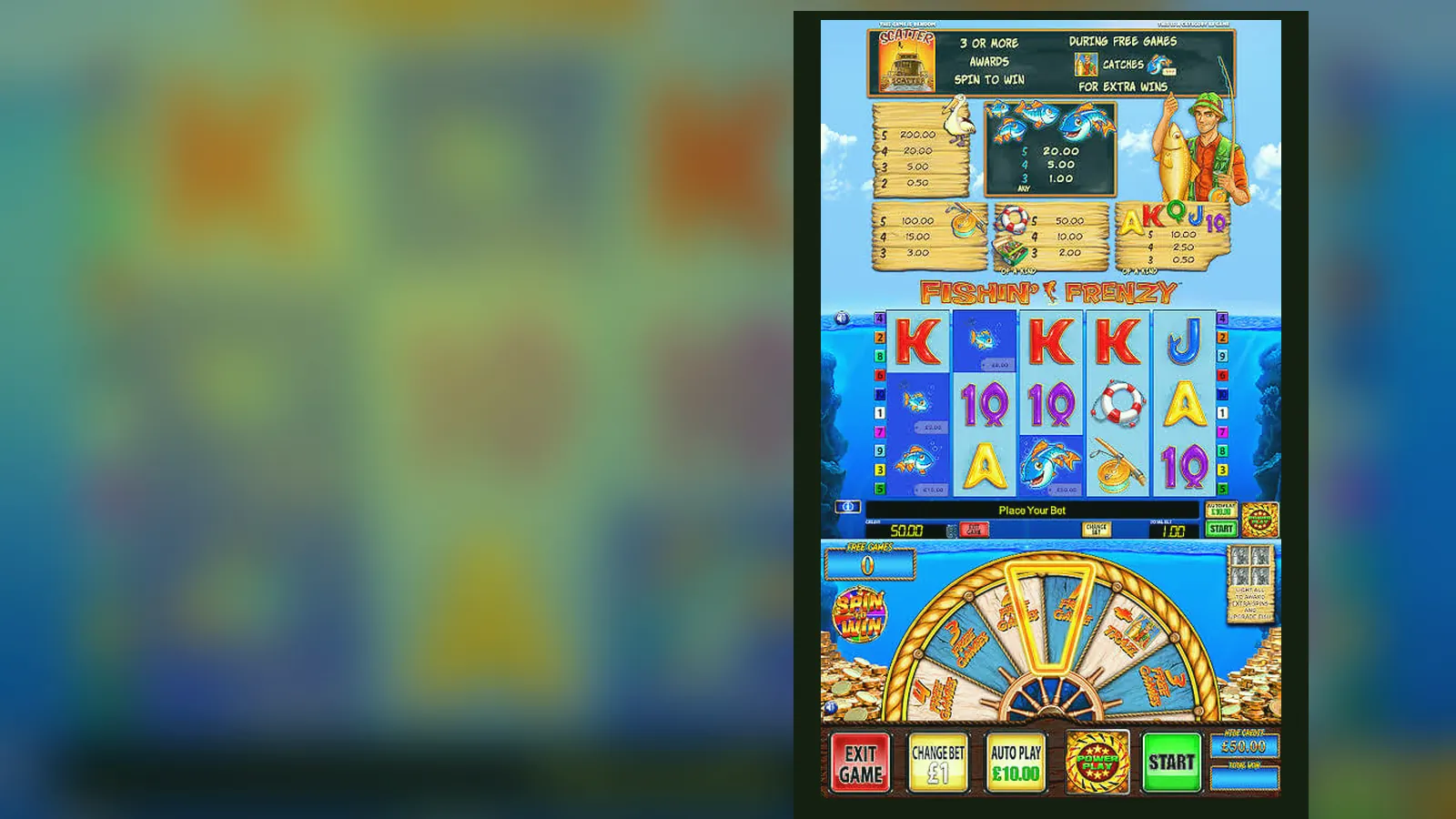
Here's what's wrong with most app-download pages: they skip the part where you actually lose control. An APK from outside the Play Store bypasses Google's malware scan. A fake clone can look identical to the real game but log your card details. And even a legitimate operator app still needs your location, your identity documents, and access to your bank account before you spin once.
This page walks through what's real, what's risky, and what you can check yourself. We'll cover the store-card facts, what each install path does to your phone, which permissions are normal and which ones aren't, and how to tell a licensed operator from a domain registered three weeks ago. If you're in the UK, every site serving you needs a UKGC remote licence—the number sits in the footer, and you can look it up in the public register.
The card you'd see if this were really in the Play Store
Fishin' Frenzy isn't a standalone app you download from Google Play or the App Store. It's a slot built by a provider—usually Reel Time Gaming or Blueprint Gaming—and licensed to dozens of casino operators. What you're actually downloading is the operator's casino app, which hosts hundreds of games including this one. Here's what a typical operator-app card looks like, with numbers that match a mid-sized UK casino:
The rating reflects the operator's entire app—login speed, withdrawal times, customer service—not just one game. Downloads in the hundreds of thousands are normal for a mid-tier UKGC-licensed site; millions usually means a household brand. Version numbers tick up every few weeks as operators patch bugs and add features. The «in-app purchases» line is your deposit range; remember that £5 is the stake cap per spin for most players, and £2 if you're 18–24.
Four install paths and the risk profile of each
You have four ways to get Fishin' Frenzy on your phone. Each one trades convenience for control, and the risk isn't always where you expect it.
- Browser play (lowest risk): Open the operator's site in Chrome or Safari, log in, find Fishin' Frenzy in the lobby, tap to load. The game runs in the browser using HTML5. No install, no permissions, no storage used beyond cache. The downside: slower load times, and some operators gate demo play behind a logged-in, age-verified account. This is the safest path because the browser sandbox limits what the site can access.
- Add to Home Screen (low risk, high convenience): In the browser, tap the share icon (iOS) or the three-dot menu (Android) and choose «Add to Home Screen». You get an icon that opens the site in a chromeless window—feels like an app, but it's still the browser under the surface. No extra permissions, no separate install. The operator can't access anything beyond what the browser allows. Best of both: app-like experience, browser-level isolation.
- Operator app from the Play Store or App Store (medium risk, vetted): Download the casino's official app from Google Play or the App Store. The stores vet the app for malware, and the app is signed by the developer, so updates come from the real operator. The app will ask for location (to confirm you're in the UK), notifications (for bonuses and limits), and sometimes camera (for document uploads during KYC). These permissions are normal for a gambling app. The risk: you're trusting the operator's security and data handling. Check the UKGC register and read the privacy policy before you install.
- APK from a third-party site (high risk, no vetting): An APK is an Android app package. If you download it from anywhere other than the Play Store—a forum, a Telegram link, a site promising «modded slots»—you're bypassing Google's malware scan. The APK could be the real app, or it could be a trojan that logs your passwords and card details. Even if it's real, you won't get automatic updates, so security patches won't reach you. Installing an APK requires you to enable «Unknown sources» in your phone's settings, which weakens your phone's defences for every other app. We don't recommend this path unless you know exactly what you're doing and you've verified the APK's signature yourself.
If the site you're on pushes you toward an APK download instead of directing you to the Play Store, that's a red flag. Licensed operators use the official stores because it builds trust and keeps them compliant with advertising rules under the Gambling Act and CAP codes.
What your phone needs and what the app actually does
Fishin' Frenzy runs on most phones made in the last five years. The game itself is lightweight—HTML5 slots don't need much processing power—but the operator's app bundles a lobby, a payment flow, and a KYC system, so the requirements are higher than the game alone.
- Android: version 7.0 (Nougat) or later. That's 2016 onwards. Anything older won't pass the Play Store's security baseline.
- iOS: version 13.0 or later. That's iPhone 6s onwards, released in 2015.
- Storage: 40–60 MB for the app, plus another 50–100 MB for cache and game assets as you play.
- Connection: 3G works, but 4G or Wi-Fi gives you smooth spins and faster load times. The game streams graphics and sound in real time, so a weak signal means stuttering reels.
What the app does once it's installed: it logs you in, checks your location to confirm you're in the UK (geofencing is a UKGC requirement), loads the game lobby, handles deposits and withdrawals, and manages your session limits. The first time you open it, you'll see an age-verification prompt and a request for location access. Before your first withdrawal, the app will ask you to upload a photo ID and a proof of address—this is the KYC (Know Your Customer) check, and it's required by law. Turnaround is usually 24–48 hours.
The app doesn't need access to your contacts, your microphone, or your SMS history. If it asks for those, close it and check the developer name against the UKGC register.
Five screens and what they're asking you to give up
A typical operator app shows you these screens in order. Each one is a decision point where you trade privacy or money for access.
- Welcome and login: Username, password, and a button that says «Register». If you're new, registration asks for your name, date of birth, address, email, and phone number. This data goes to a credit-reference agency for an age and identity check before you can deposit. It's the law, but it also means your gambling activity is now on file.
- Lobby: A grid of game tiles, search bar, filters by provider or category. Fishin' Frenzy usually sits in «Popular» or «Slots». Tap the tile and you'll see a short description, the RTP (96.00% or 96.12% depending on the version), and two buttons: «Play Now» and «Demo». Demo mode is common on UKGC sites, but many operators only show it to logged-in, age-verified accounts.
- Deposit: A list of payment methods—debit card, PayPal, Apple Pay, Trustly, paysafecard. Choose one, enter the amount (minimum is usually £10.00, maximum £500.00 to start), and confirm. The payment must be in your own name; credit cards have been banned for gambling since 2020. Once you deposit £150.00 net in a month, the operator starts affordability checks using credit-reference data at the first stage. If your spending pattern flags you as high-risk, they'll ask for bank statements and payslips.
- Game screen: The reels, your balance, spin button, bet selector (£0.10 to £5.00 per spin for most players, £0.10 to £2.00 if you're 18–24), and a menu icon that hides autoplay, settings, and paytable. The stake cap is enforced by the app; you can't override it. Reality-check pop-ups appear every hour, showing your session time and net win or loss.
- Withdrawal: Choose your method (e-wallets take a few hours to 24 hours, Faster Payments to a bank account take the same day to two working days, debit card takes one to three working days). Enter the amount, confirm. The first withdrawal triggers the KYC check if you haven't done it yet—upload your ID and proof of address, wait 24–48 hours. After that, most withdrawals are automatic unless you hit a threshold that triggers a manual review.
Each screen is designed to keep you moving forward. The friction points—age checks, deposit limits, KYC—are regulatory requirements, not the operator trying to slow you down. But the design still nudges you toward depositing more and playing longer. Be deliberate about what you click.
What's new in this version and why it matters
Version numbers aren't just housekeeping. They tell you what the operator has patched, added, or changed. A typical update log for a UK casino app looks like this:
- Version 3.8.1 (18 December 2026): Fixed a bug where the £2 stake cap for 18–24 players wasn't applying to autoplay. Added a reminder pop-up when you've been playing for 45 minutes without a break. Updated the geolocation check to run every 15 minutes instead of once per session (this stops players from using a VPN to bypass the UK-only restriction).
- Version 3.8.0 (2 December 2026): Rolled out the new affordability-check flow. If your net deposits hit £150.00 in a calendar month, the app now asks you to confirm your income and employment status. Refusal triggers a 72-hour cooling-off period and a reduction of your deposit limit to £50.00 per month until you verify.
- Version 3.7.5 (10 November 2026): Improved the KYC upload flow—documents are now processed in 12–24 hours instead of 48. Added support for Open Banking as a deposit method. Faster Payments withdrawals now arrive the same day if requested before 2 p.m.
Updates that tighten controls—stake caps, affordability checks, session reminders—are responses to UKGC enforcement actions. The regulator has been fining operators who let high-risk players gamble without intervention, so every app is adding more friction. That friction protects you, but it also means the app you downloaded six months ago doesn't work the same way today. Keep it updated, or the operator might lock you out.
How to spot a fake clone before you hand over your card
A fake Fishin' Frenzy app or site looks almost identical to the real thing. The reels spin, the fish jump, the free-spins round triggers. The difference: your deposits go to a scammer's account, and your card details get sold on a dark-web forum. Here's how to tell.
- Check the UKGC register: Every operator serving UK players needs a remote licence. Go to the Gambling Commission's website, search for the operator's name, and match the licence number in the app's footer or settings screen. No match? Close the app and report it.
- Look for GAMSTOP integration: If the app doesn't mention GAMSTOP anywhere—registration page, responsible-gambling section, footer—it's not licensed in the UK. GAMSTOP is the national self-exclusion scheme, and every UKGC operator must link to it.
- Inspect the permissions: A legitimate casino app asks for location, notifications, and camera (for KYC). It doesn't need your contacts, call logs, SMS history, or microphone. If the permissions list looks like a spyware app, delete it.
- Check the developer name: In the Play Store or App Store, tap the developer's name. It should link to a website that matches the app's branding. If the developer is «Fun Games Ltd» and the app claims to be from a well-known casino, it's a clone.
- Test the payment flow: Real operators use payment processors that redirect you to a secure page (Visa Verified, PayPal login, Trustly authentication). If the app asks you to type your card number directly into a form with no redirect, it's not legitimate.
- Watch for pressure tactics: Fake apps and sites push you to deposit fast—countdown timers, «last chance» bonuses, pop-ups that won't close. Licensed operators can't advertise that way under CAP codes. If the app feels like a late-night shopping channel, it's probably a scam.
The honest calculation: is installing worth the friction?
An app gives you faster load times, one-tap access, and push notifications when a bonus lands. It also gives the operator persistent access to your location, a record of every session, and a direct channel to nudge you back in. Whether that's a fair trade depends on how you play.
If you play once or twice a month, the browser path is cleaner. You avoid permissions, storage, and the data trail. If you play several times a week, the app's convenience might be worth it—but set deposit limits and session reminders before your first spin, because the app is optimised to keep you playing, not to stop you.
The APK path is almost never worth the risk unless you're on a device that can't access the Play Store. Even then, the security trade-off is steep. Stick to the browser or the official store.
One last thing: gambling winnings are tax-free for you, but operators pay 40% Remote Gaming Duty as of April 2026, and that cost gets passed on through tighter bonus terms and slower withdrawals. The app won't tell you that, but it's part of the friction you're working against. Conditions change, so check the site before you commit.
FAQ
Can I download Fishin' Frenzy as a standalone app?
No. Fishin' Frenzy is a slot game licensed to casino operators, not a standalone app. What you download is the operator's casino app, which includes this game alongside hundreds of others. The app comes from the Play Store, App Store, or the operator's browser-based site. If someone offers you a standalone Fishin' Frenzy APK, it's either a demo with no real-money play or a fake designed to steal your details.
Why does the app ask for location access?
Geofencing is a UKGC requirement. The operator must confirm you're physically in the UK before letting you play. The app checks your location when you log in and periodically during your session. If you're using a VPN or you've travelled outside the UK, the app will block you until you're back. This isn't the operator being difficult—it's the law, and losing a UKGC licence is a bigger risk than losing one player.
What happens if I deposit £150 in a month?
Affordability checks begin at £150.00 net deposits per month. The operator uses credit-reference data to assess whether your spending is sustainable. If the data suggests risk—high debt, low income, erratic payment history—the app will ask you to verify your income with bank statements or payslips. Refusal triggers a cooling-off period and a reduction of your deposit limit to £50.00 per month. This isn't unique to one operator; it's an industry-wide response to UKGC enforcement.
How do I know the app I downloaded is legitimate?
Match the operator's name to the UKGC public register and check that the licence number in the app's footer matches the register entry. Look for GAMSTOP integration—every licensed operator must link to it. Check the permissions list: location, notifications, and camera for KYC are normal; contacts, SMS, and microphone are red flags. If the app pushes you toward an APK download from outside the Play Store, or if it uses countdown timers and pressure tactics, walk away.